Add an entry
Tap the blue + on any main screen. The number pad opens first, your top categories are one tap away and the last account you used is already picked.
Features
51 features in 7 groups, from the quick add bar to credit card cycles. Items marked Pro come with SuvyMoney Pro; everything else is free.
An expense in three taps, or one line of plain words.
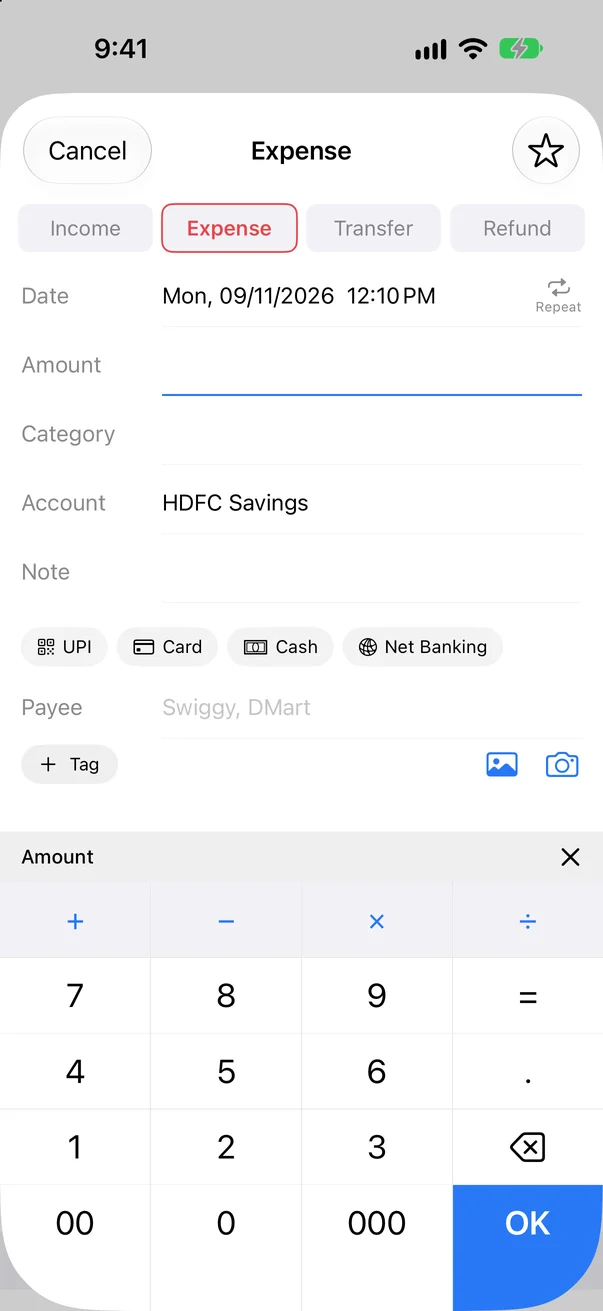
Tap the blue + on any main screen. The number pad opens first, your top categories are one tap away and the last account you used is already picked.
Type a sum like 450+120 or 1200/3 on the number pad. The result is saved.
On Home, type "coffee 4.50", "taxi 18 yesterday" or "salary 5000". A preview appears; press Return to save. Several entries at once: "lunch 12, taxi 18".
Transfers move money between your own accounts and are never counted as spending. Refunds lower the spending of their category instead of counting as income.
Tap an entry to edit it. Delete with Undo, or copy it with today's date or the original date.
Swipe an entry in any list to delete or duplicate it.
An entry dated after today waits with a clock and only counts in balances when its day comes.
Add who you paid, #tags and a photo of the bill to any entry.
Save entries you add often and add them again with one tap.
Daily, weekly, monthly, yearly or custom. Added for you, or after you confirm, with an end date or a count.
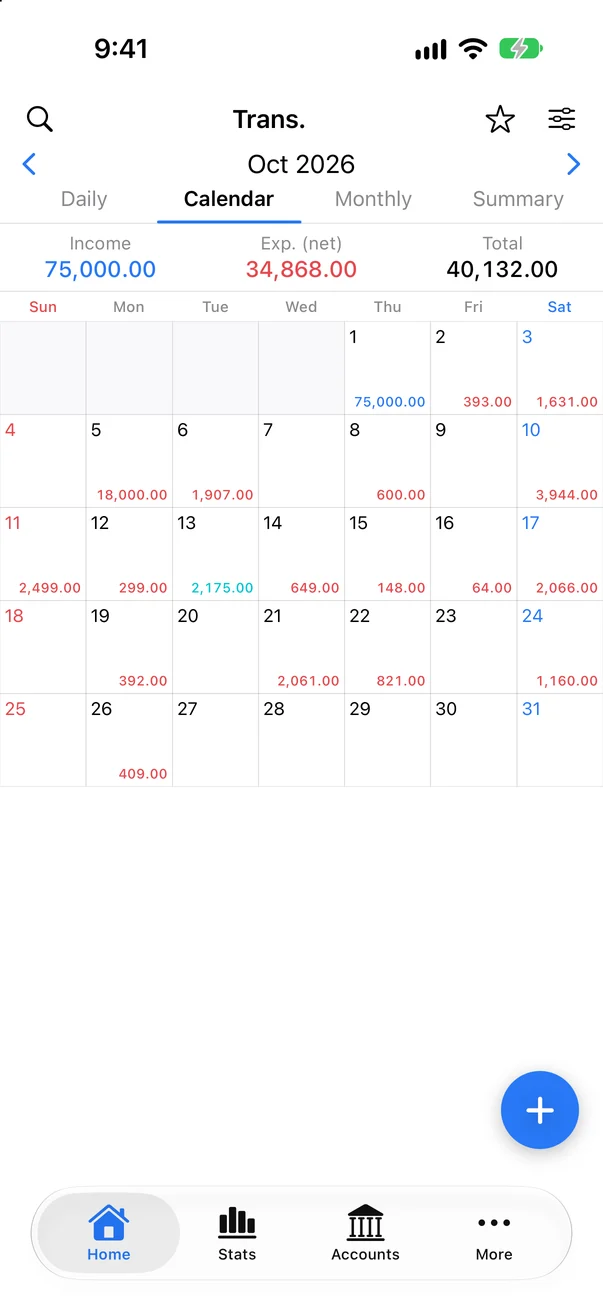
Four views of the same month, with the totals pinned on top.
Entries day by day, with each day's income and spending. Use ‹ › to change the month.
The month as a calendar with each day's amounts. Tap a day to see its entries.
Income, spending and total for every month of the year.
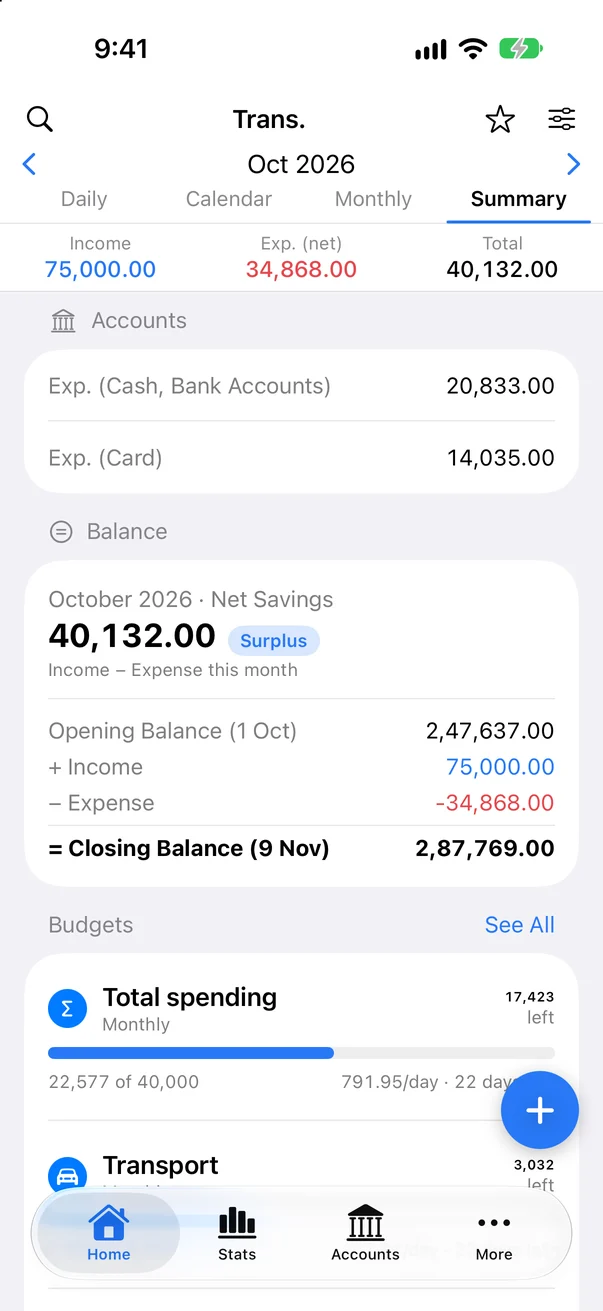
This month at a glance: spending by cash and card, opening and closing balance, top spending and budgets.
Search every month by note, payee, tag, category or amount.
Filter by account, category, date range, amount range, type and tag.
Make every month run from your salary date, for example the 25th to the 24th.
See where it went, and get a word in before it goes.
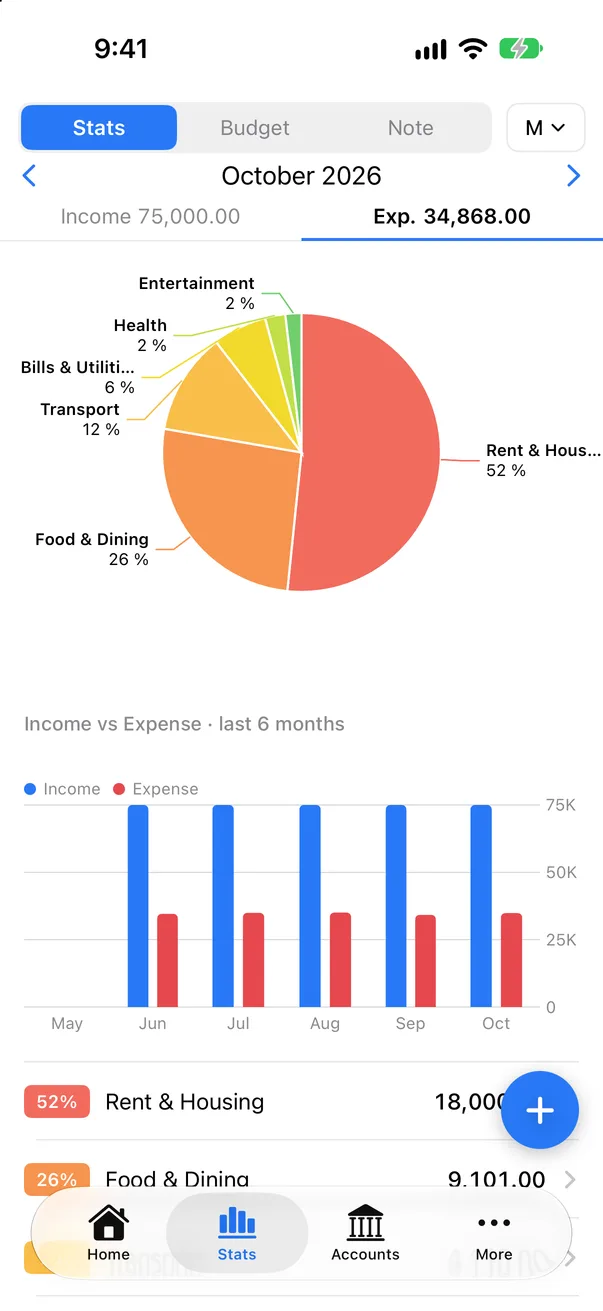
Spending or income by category for the week, month or year, with percentages. Tap a category for its entries.
Bars for the last six months, side by side.
Totals grouped by the note you wrote, like all "Petrol" entries together.
One total budget or one per category, weekly, monthly or yearly, with progress bars and what you can spend per day.
A notification at 80% and at 100%, plus a budget vs actual chart and optional rollover.
Totals per payee and per tag.
Every account in one list, with an honest total.
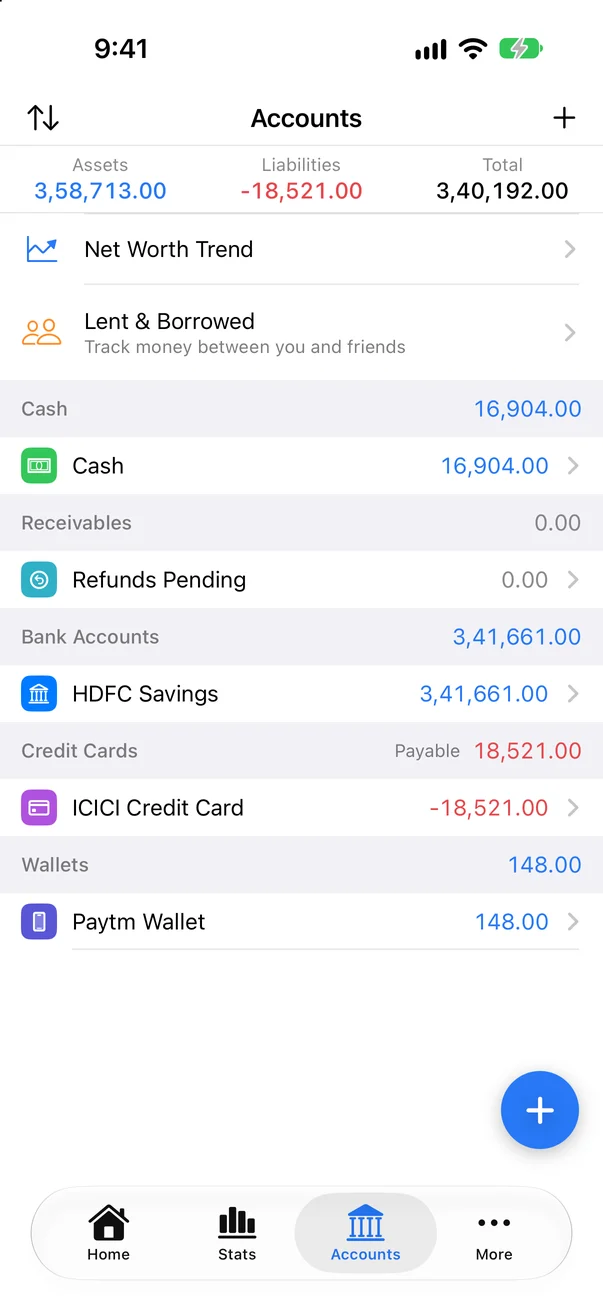
Cash, bank, credit card, wallet, loan, savings, investment and other, grouped the way you like, with icons and colours.
Opening balance plus income, minus spending, plus or minus transfers. Never typed in by hand.
Open an account to see it daily, monthly or yearly, with deposit, withdrawal, total and the balance after each entry.
Archive old accounts, leave some out of the total, and reorder the list.
What you own minus what you owe, as a month by month chart.
Principal, interest rate and tenure give the EMI, what is left to pay and the next EMI date.
Money you gave to or took from a person, with a due date. Settle it when it is paid back.
Your card by its own billing cycle, not the calendar.
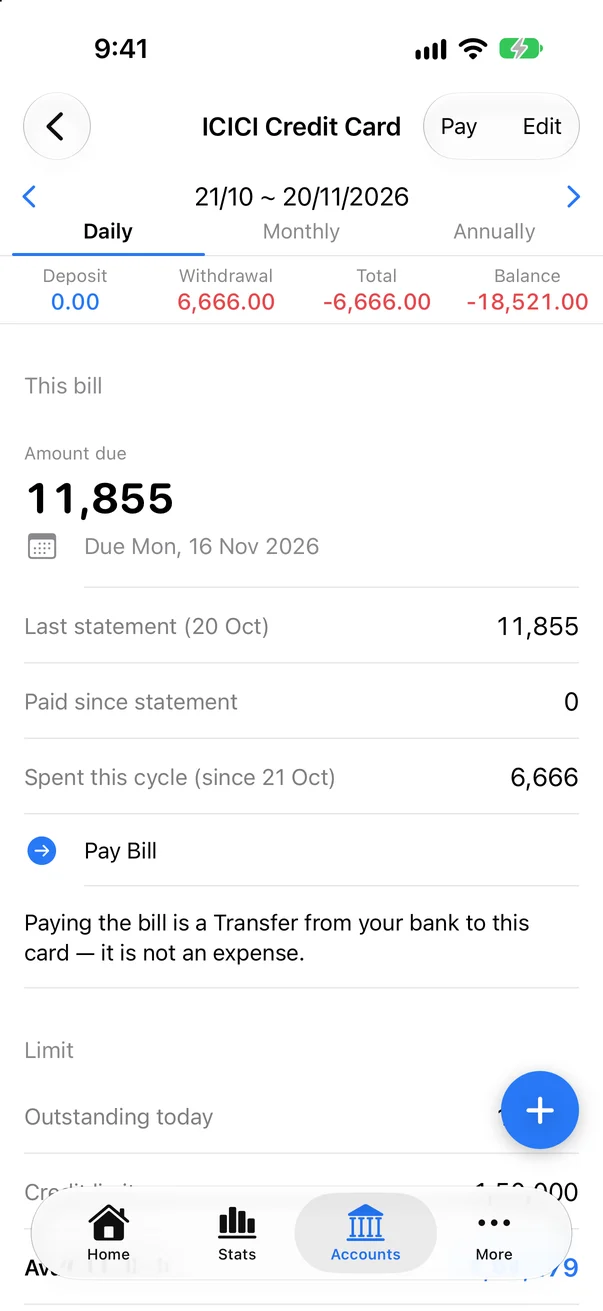
Add the limit, statement day and due day. The card shows this cycle's spending, the last statement and the amount due.
See how much of the limit is left today.
A notification 5 days and 1 day before the due date.
Pay records a transfer from your bank to the card, so your spending is counted once.
Turn a card purchase into monthly instalments with interest. The EMI entries are added for you.
Link a debit card to its bank account (last 4 digits only). Picking it fills in the bank and the Card method.
Add entries without opening the app. All the reading happens on your iPhone.
Say "Add expense in SuvyMoney", or use the Action Button or Back Tap through Shortcuts.
Share a payment screenshot or receipt to SuvyMoney. Amount, payee and date are read on your iPhone for you to confirm.
Your own Shortcuts automation passes bank messages to SuvyMoney as drafts. The app never reads your Messages.
Drafts from screenshots and SMS wait on Home. Confirm with one tap, or edit first.
A daily notification asks what you spent. Reply "lunch 12, taxi 18" right from it.
No account, no server. Your data stays on your iPhone, and you can take it with you any time.
No sign up and no login. On the App Store: Data Not Collected.
Pick your currency, and international (125,000) or Indian (1,25,000) number style.
Follows your iPhone, or pick Light or Dark.
Categories with sub-categories. Add, rename, hide or reorder them.
Bring in a Money Manager backup: accounts, categories and entries. Importing again only adds what is new.
Deleted entries stay for 30 days. Restore them any time.
Lock the app with Face ID or your passcode, with an auto-lock time.
CSV or Excel for any dates, and a monthly PDF report.
Import a bank statement or another app's CSV. Match the columns; duplicates are skipped.
A full backup file any time, plus automatic daily, weekly or monthly backup to iCloud Drive › SuvyMoney.